Skip to content

Markdrop Guides · free in beta

See where readers drop off.

Docs that show you what to fix next. Guides measures how far people and AI agents get on every page, finds where they stop, and drafts the fix.

Example · Acme, a fictional company

The Fix list

Every item comes with its evidence.

One list, ranked by how many readers each problem affects. Open an item to see why it's there, then draft the fix.

  • Readers leave here. Many more readers stop at one section of a page than at the rest of it.
  • Searches with no results. What readers type in the search box and find nothing for.
  • Ask AI couldn't answer. Questions Ask AI had no answer for in your pages.
  • Agents find nothing. What AI assistants search your docs for through its MCP server and find nothing.
  • Video drop-off. The moment a video loses most of its viewers.
  • Stale pages. A page many readers open that nobody has edited in six months.
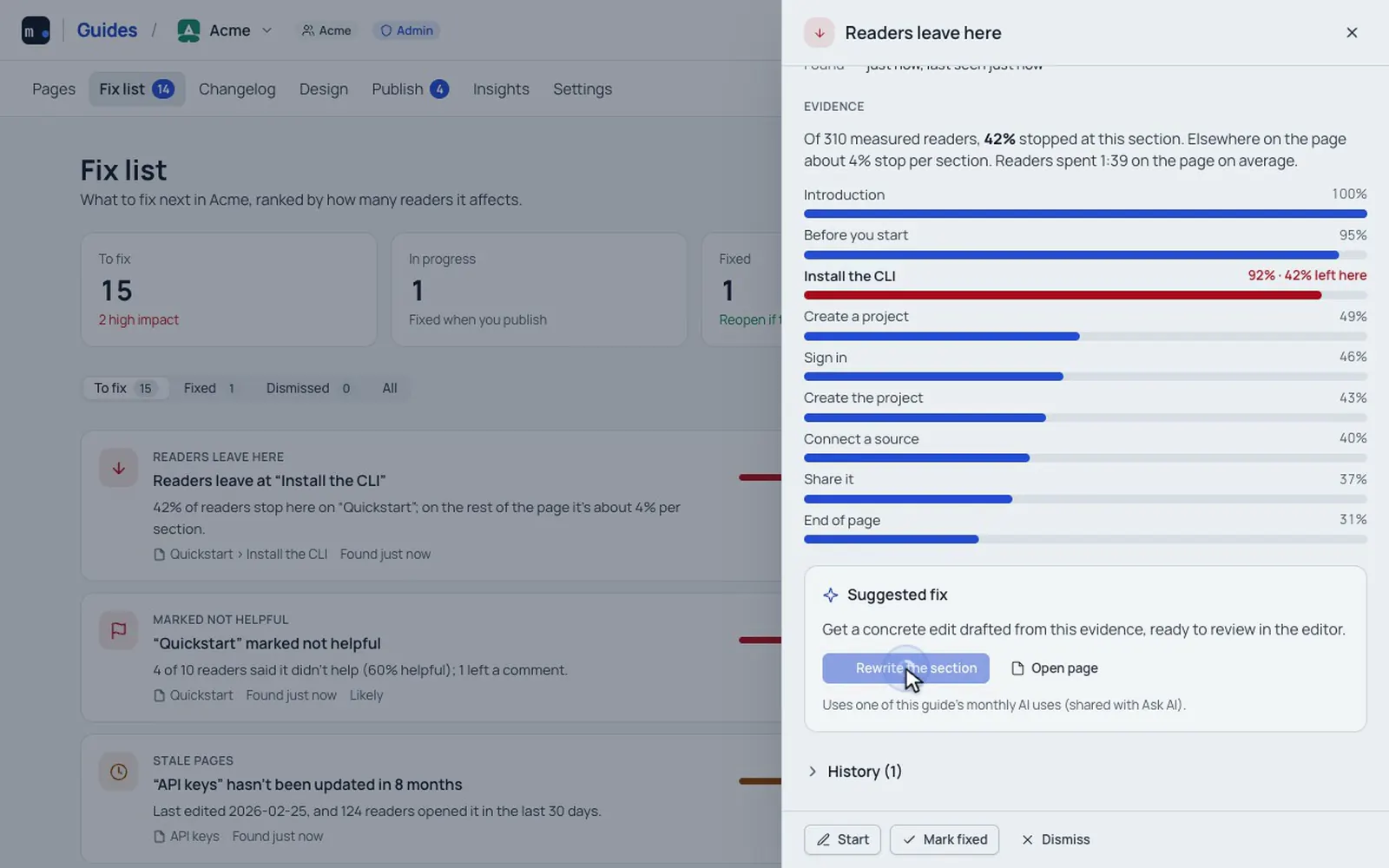
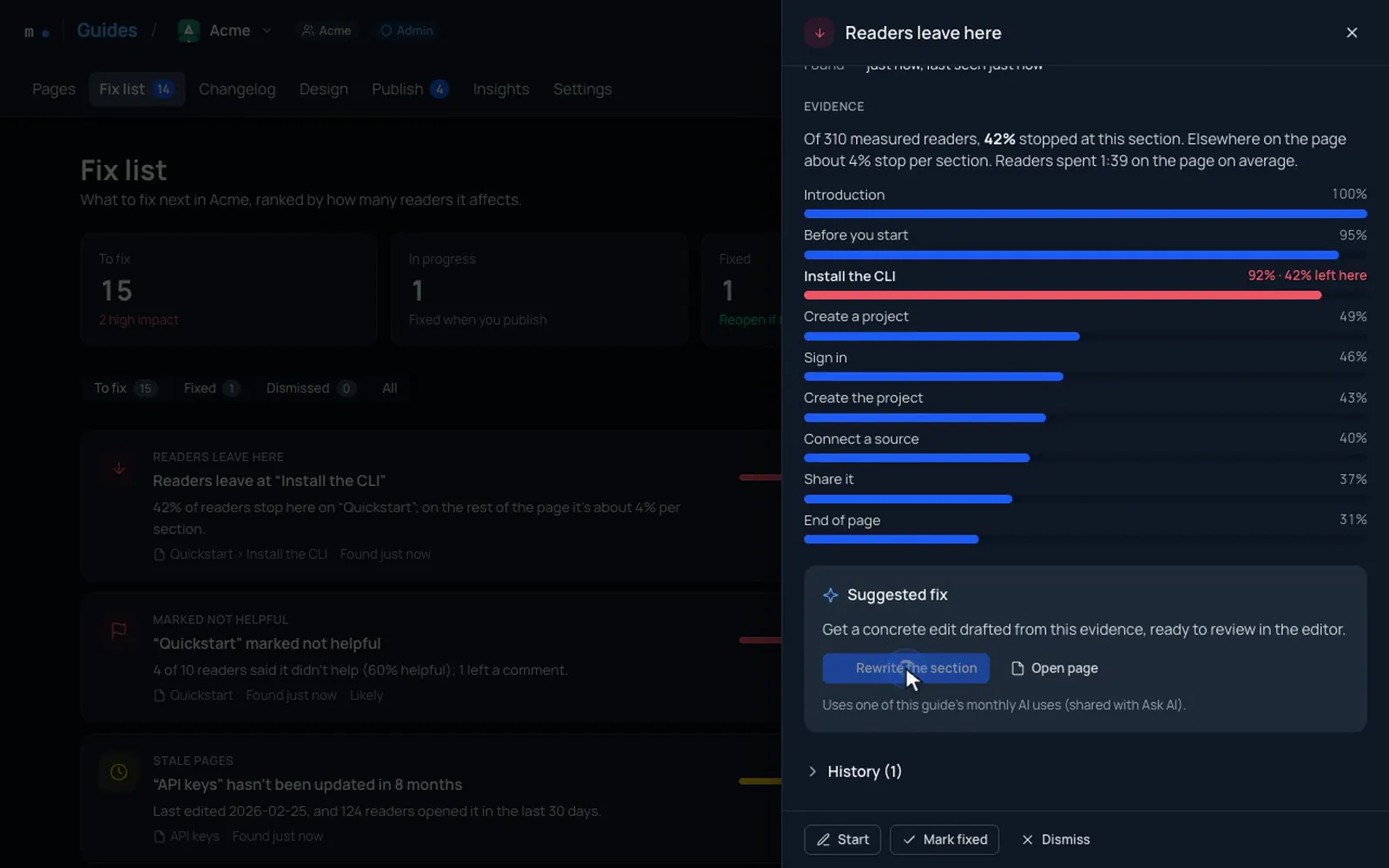
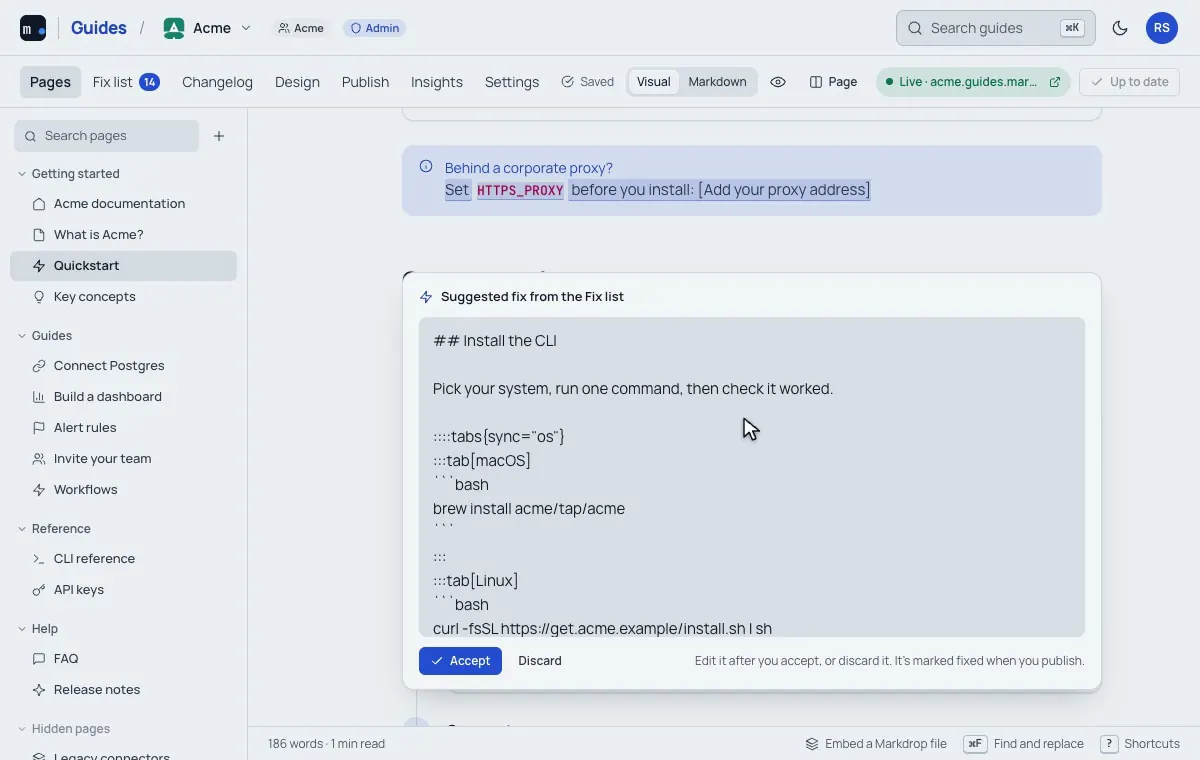
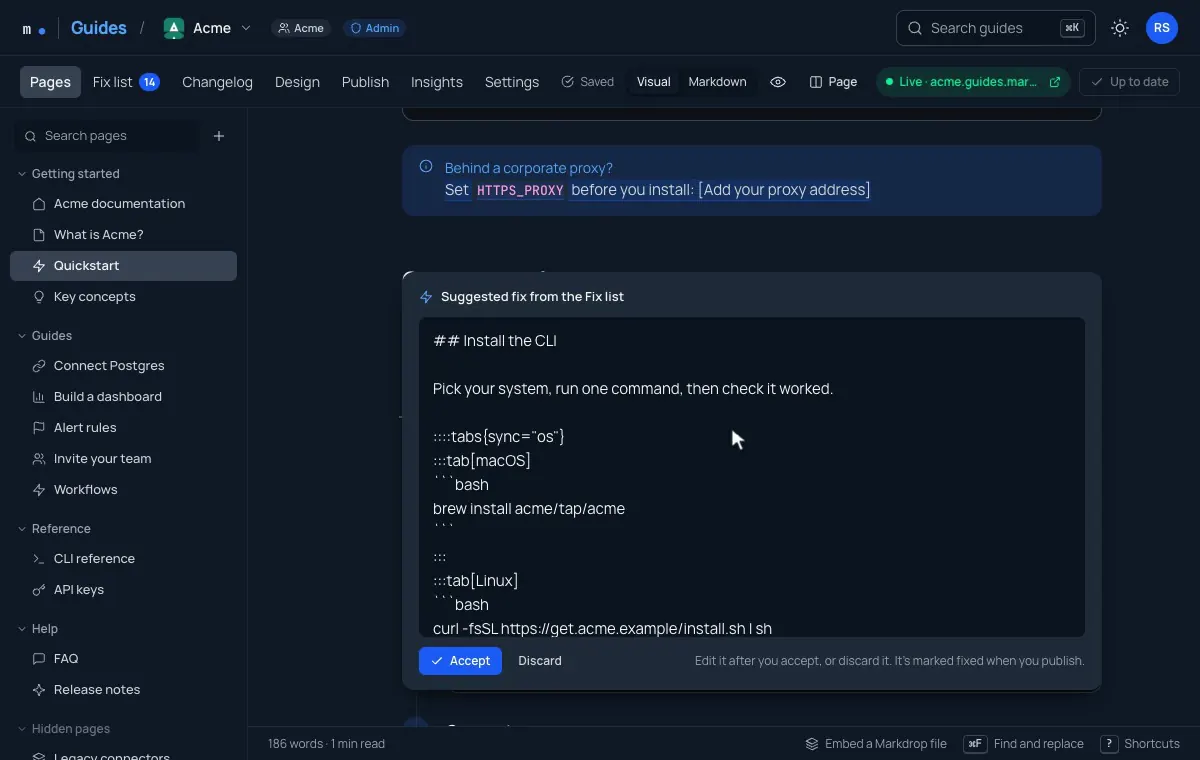
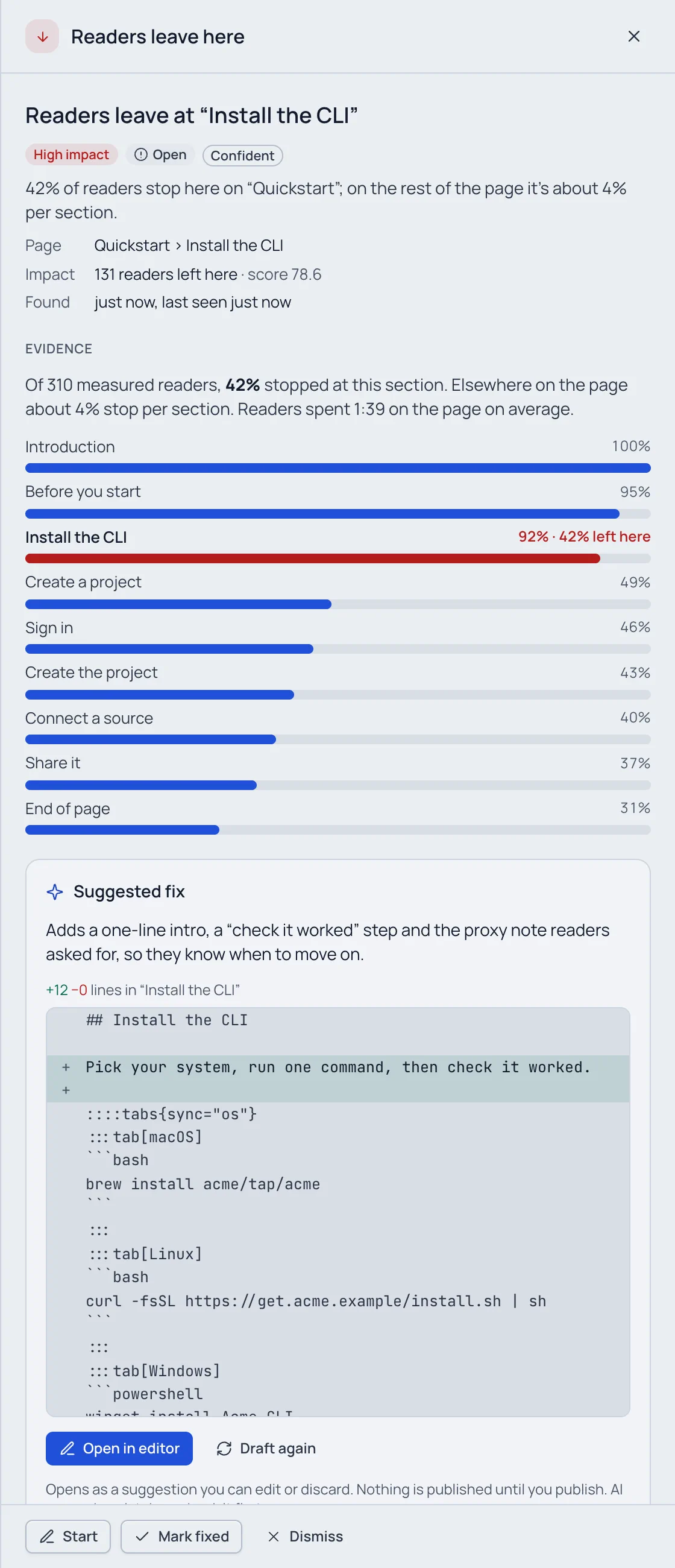
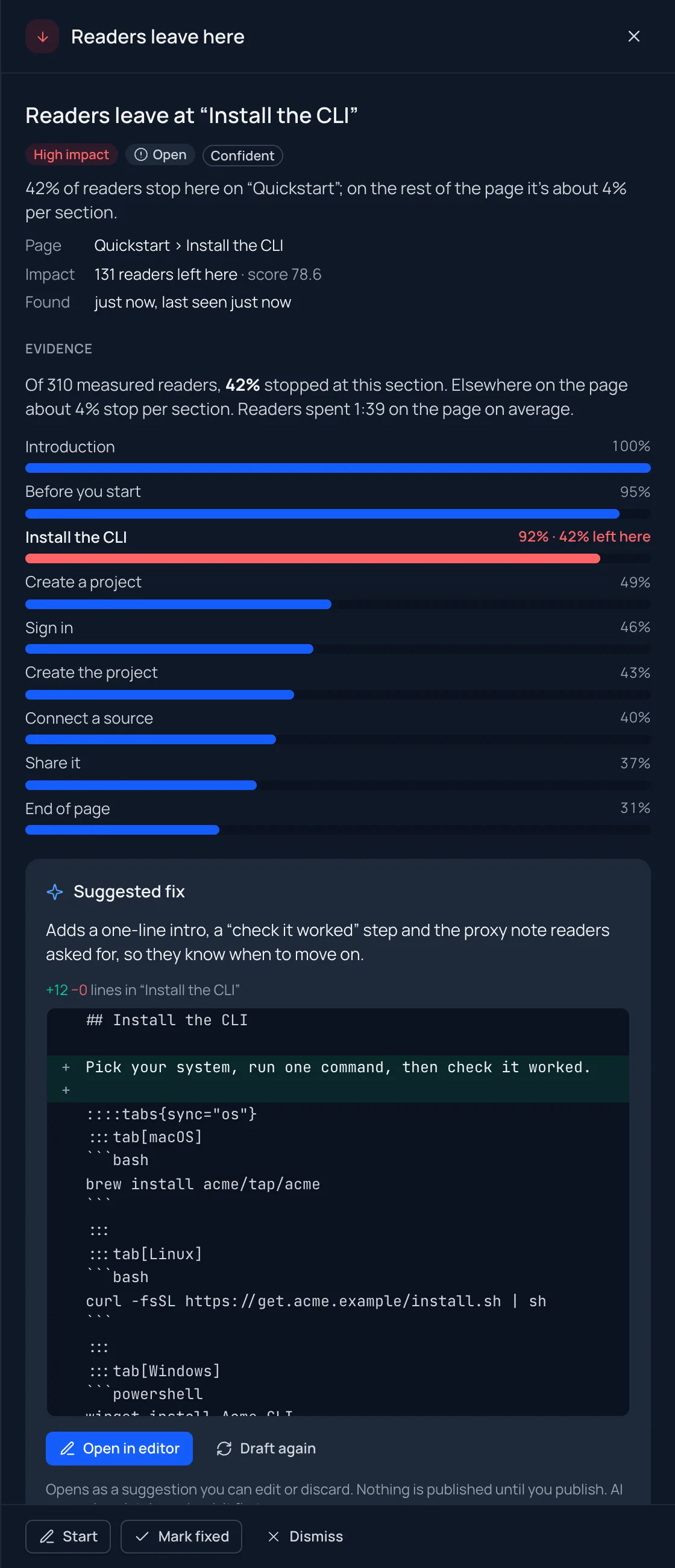
The drawer for Readers leave at Install the CLI: High impact, Open, Confident; 42% of 310 measured readers stopped there against about 4% per section elsewhere; a bar per section from the introduction to the end of the page with Install the CLI in red; then the suggested fix, with Open in editor.The drawer for Readers leave at Install the CLI: High impact, Open, Confident; 42% of 310 measured readers stopped there against about 4% per section elsewhere; a bar per section from the introduction to the end of the page with Install the CLI in red; then the suggested fix, with Open in editor.
An item's evidence in the studio, with fictional data.

Live demos, video and PDFs

Put the real thing in the page.

A working HTML demo, a video with chapters, a PDF to page through. Each one opens right in the docs, sandboxed on its own file domain. When viewers give up on a video or a PDF, it lands on your Fix list.

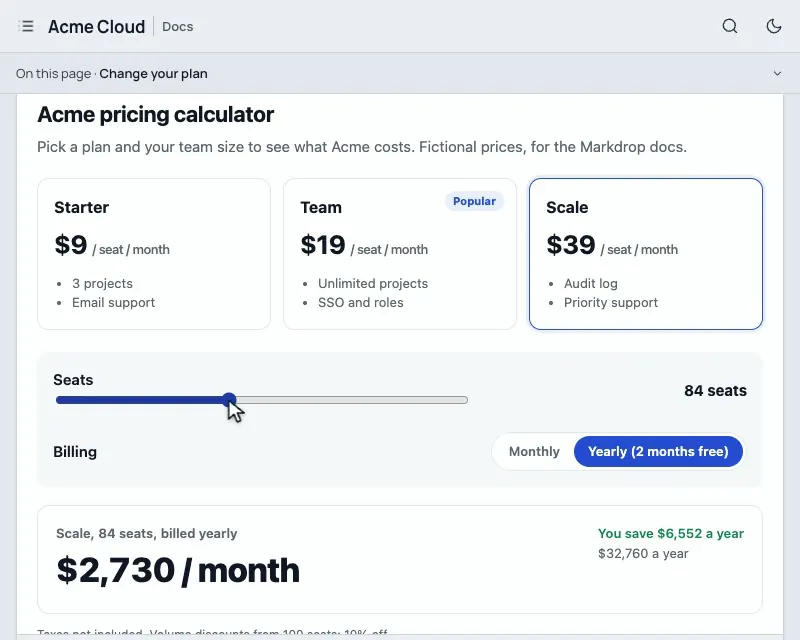
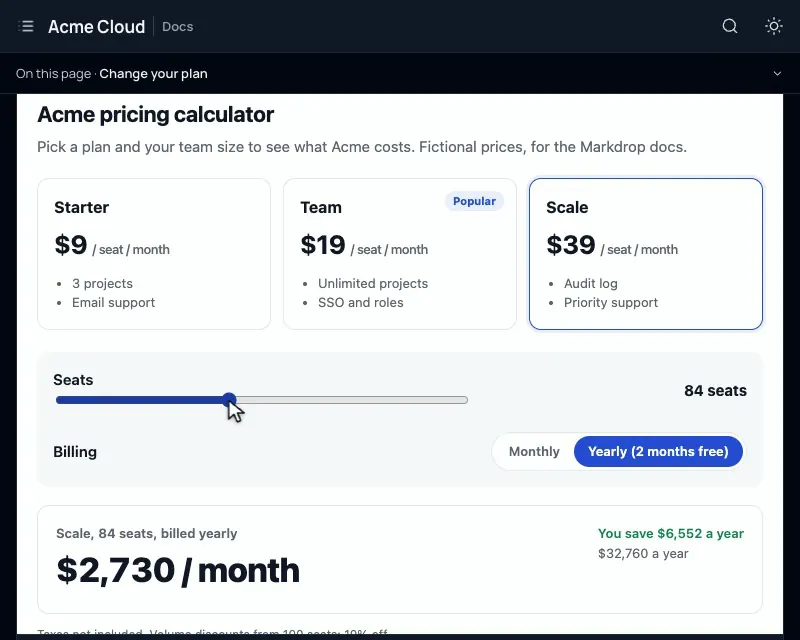
A pricing calculator embedded in a docs page: choosing the Scale plan, dragging the seats slider and switching to monthly billing updates the total.A pricing calculator embedded in a docs page: choosing the Scale plan, dragging the seats slider and switching to monthly billing updates the total.
A pricing calculator, an HTML file embedded in a docs page, working as readers use it.

Private pages, free

Some pages are just for some readers. Free.

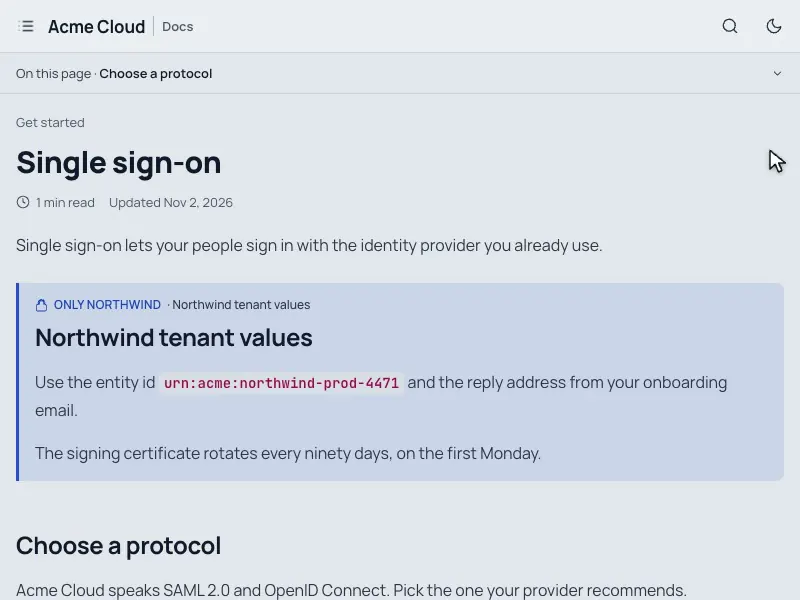
Seal a page or one section for your team, an email domain or a single customer. Everyone else sees the public docs, and so does every AI tool.

  • Your team, a customer, or a password. Members, people or a whole email domain by emailed link (no account), or one password.
  • A page, a group, or one section. Even a single section inside a public page.
  • Nothing private leaks. Left out of search, llms.txt, the sitemap, the MCP server and Ask AI for anyone who can't open it.

Recorded in the product

See it for real.

Short loops of the studio and a published guide.

The Fix list in the Markdrop Guides studio: readers leave at Install the CLI is ranked first; its evidence, a drafted fix accepted in the editor, a publish, and the item marked fixed.The Fix list in the Markdrop Guides studio: readers leave at Install the CLI is ranked first; its evidence, a drafted fix accepted in the editor, a publish, and the item marked fixed.
Recorded in the studio and in a published guide, with fictional data.

Ready for AI

Agents drop off too. Now you can see it.

Every guide serves what AI tools read well, and the Fix list counts agent reads apart from people. When an assistant finds nothing, or a page is hard for agents to use, it lands on your Fix list.

Example requests to acme.guides.markdrop.in
  1. claudeGET /quickstart.md200
  2. chatgptGET /llms-full.txt200
  3. mcpsearch_docs("terraform")0 results
  4. → Fix list · Agents find nothing
  5. perplexityGET /changelog200
  6. → Fix list · Hard for agents: long, no headings
  • /mcp

    Its own MCP server: search_docs, read_page, whats_changed, report_problem. Add to Cursor or VS Code in a click.

  • llms.txt

    Every page with its description; llms-full.txt has the whole guide in one file, and skill.md tells agents how to use it.

  • .md

    Any page as Markdown at its address plus .md, with the text of its videos and PDFs.

  • Ask AI

    Answers from your published pages, each claim linked to the section it came from.

Compare

Markdrop Guides, GitBook and Mintlify.

What each includes and costs, as of November 2026. Every GitBook and Mintlify cell links to its source, checked on . Prices change: check theirs before you decide.

Markdrop Guides compared with GitBook and Mintlify, as of November 2026
FeatureMarkdrop GuidesGitBookMintlify
What to fix nextYes: Free: one ranked Fix list with an AI-drafted fix for each itemPartly: Content gaps and Broken links: Ultimate, $249/site/month + $12/user (beta) source (opens in a new tab)Partly: Analytics and assistant insights need Pro, $450/month billed yearly source (opens in a new tab)
Private pages for readersYes: Free: people, email domains or a password, per page or sectionPartly: Authenticated access and adaptive content: Ultimate; share links from Essential source (opens in a new tab)Partly: Password: Pro; sign-in and per-group pages: Enterprise source (opens in a new tab)
Reader analyticsYes: Free: Insights, cookielessPartly: Page views on Free; search and feedback from Essential; AI insights on Ultimate source (opens in a new tab)No: Pro or Enterprise only source (opens in a new tab)
Uploaded video plays in the pageYes: Yes, with chapters, captions and where viewers stopNo: No: uploaded MP4s show as a link to open or download source (opens in a new tab)Yes: Yes, with the HTML video element source (opens in a new tab)
Paid plansYes: Planned: Pro from $39/site/month, flat, never per editorPartly: Essential $65, Ultimate $249 per site/month, + $12 per user (billed yearly) source (opens in a new tab)Partly: Pro $450/month billed yearly ($540 monthly), unlimited editors source (opens in a new tab)

Pricing

Free while in beta.

Everything that's live is free today. Below is what we plan to charge after the beta: the plans aren't final, the rules are.

Start a guide free

Free while in beta

Now

$0 today

Everything on this page that's live, for every guide you make. No card.

  • Your own domain, certificate handled
  • The Fix list and Insights
  • Ask AI: 1,000 answers a month per guide
  • Live demos, video and PDFs
  • API reference with Try it, changelog, themes
  • Import from GitBook, Mintlify or GitHub
  • Your whole team, roles and reviews

Free

Planned

$0 per guide

For small teams and side projects.

  • Your own domain
  • 3 editors
  • Insights and the Fix list
  • Ask AI with a monthly allowance
  • Basic private pages

Pro

Planned

$39–49 per site / month

Flat price, whatever the size of your team.

  • Unlimited editors
  • More Ask AI and AI-drafted fixes, with an allowance you set
  • Private pages for email domains and each customer
  • Everything in Free

Business

Planned

about $199 per site / month

For companies with more guides and stricter sign-in.

  • Single sign-on for readers and editors
  • Higher AI limits
  • Priority support
  • Everything in Pro

AI is the only thing metered, always with a hard cap: no surprise bills. Never priced per editor or per reader. Join during the beta and your price won't change for 12 months after paid plans start.

Questions

Before you switch.

The six we hear most. Pricing, limits, imports and troubleshooting are in the full FAQ.

Is it really free? What happens after the beta?

Markdrop Guides is free while it's in beta, with a monthly number of Ask AI answers per guide. After the beta there will be a Free plan and paid plans like the ones above. If you join during the beta, your price won't change for 12 months after paid plans start, and we'll tell you in the app and by email before anything changes.

Can I take my docs with me?

Yes, any time. Settings › Export & self-host downloads the whole guide as a folder of Markdown and files: pages, sidebar, theme, images, redirects, changelog and API reference. The engine that builds guides is open source (MIT), so that folder runs on your own server with one Docker command. With GitHub sync your repository stays the source of truth, and every published page is also plain Markdown at its address plus .md.

Is it safe to put interactive HTML in my docs?

Embedded HTML never runs on your guide's address or on markdrop.in. It renders on Markdrop's separate file domain, in a sandbox with no access to cookies, storage, your page or any other customer's files, and it can't navigate your readers away. The file server repeats the sandbox as a security header, so it holds even when the file is opened on its own.

Will AI costs surprise me?

No. In the beta each guide has a fixed number of Ask AI answers a month; at the limit readers get links to ask Claude or ChatGPT with the page attached instead, and nobody is billed. Paid plans will meter AI only, always with a hard cap you set.

Do I have to write Markdown or use Git?

Neither. Write in a visual editor with a slash menu for callouts, steps, tabs and code, or switch a page to Markdown. If your docs already live in a GitHub repository, connect it and every push updates the guide.

Do you track my readers?

Not as people. A published guide sets no cookies and stores nothing in readers' browsers. Insights and the Fix list count sections read, searches, votes and video progress without personal data, and send nothing at all when a browser asks not to be tracked.
Fewer drop-offs, every week.

Bring your docs from GitBook, Mintlify, Docusaurus, MkDocs or GitHub. Free while in beta.

Or start from a GitHub repository, an OpenAPI file, or read the docs.